
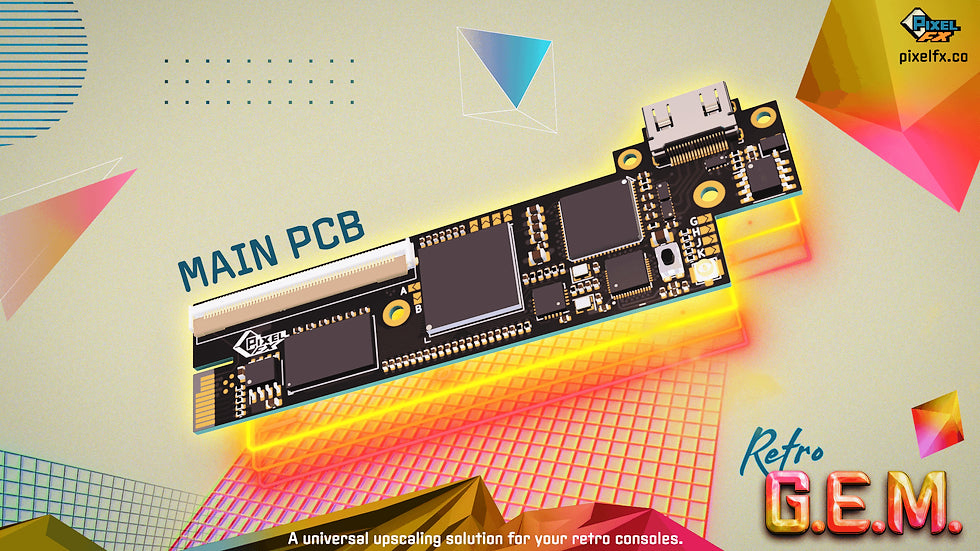
Select your console below to see specific details and pricing


Why Choose the Retro GEM for Your Console?
The Retro GEM is an internal Digital-to-Digital modification. It taps directly into the console’s motherboard to intercept the raw digital video signal before it is ever converted to analog.
- Pixel-Perfect Integer Scaling: The GEM understands 240p perfectly. It takes every single pixel and multiplies it symmetrically, ensuring that your games look razor-sharp on a 4K or 1080p display.
- Native Digital Path: By bypassing the console’s internal Analog-to-Digital conversion, it eliminates signal noise entirely. You get the purest colors and deepest blacks the hardware is capable of producing.
- Zero Added Latency: Because the GEM processes the digital signal at the source, there is no "conversion delay." Your button presses happen in real-time, just as they did on a CRT.

Basic vs. Shiny: One Hardware, Two Experiences
The Retro GEM uses a "Unified" hardware platform. This means the board we install is identical for every console; the difference lies in the software features unlocked on the device.
- Retro GEM Basic: Ideal for those who use external scalers (like a RetroTink) or play on 1080p screens. It provides a pure, lag-free 720p digital signal and standard scanline options.
- Retro GEM Shiny: The "Gold Standard" for stand-alone use. It unlocks 1440p resolution and Motion Adaptive Deinterlacing—a must-have for the PlayStation 2 library to eliminate flicker and motion blur. It also includes advanced CRT filters and polyphase scaling for the sharpest possible image.
The Best Part: You Can Upgrade Later
If you start with Basic, you are never locked in. You can purchase a digital license key from PixelFX at any time. Because your console is WiFi-enabled, it will download and unlock the Shiny features instantly—no shipping, no tools, and no extra installation required.
Refurbished, Ready-to-Buy Retro Gem Upgraded Consoles
View all-


 Sold out
Nintendo 64 Console with Retro GEM HDMI Kit Pre-Installed
Sale priceFrom $299.99 Regular price $349.99Unit price -
 Sold out
GameCube Console with Retro GEM HDMI Kit Pre-Installed
Sale price $299.99 Regular price $349.99Unit price -
 Sold out
Wii Console with Retro GEM HDMI Kit Pre-Installed
Sale price $299.99 Regular price $349.99Unit price -
 Sold out
PlayStation Console with Retro GEM HDMI Kit Pre-Installed
Sale price $299.99 Regular price $349.99Unit price -


 Sold out
PlayStation 2 Console with Retro GEM HDMI Kit Pre-Installed
Sale price $349.99 Regular price $399.99Unit price -


 Sold out
PlayStation 2 Slim Console with Retro GEM HDMI Kit Pre-Installed
Sale price $349.99 Regular price $399.99Unit price -


SEGA Dreamcast Console with Retro GEM HDMI Kit Pre-Installed
Sale priceFrom $349.99 Regular price $399.99Unit price


Get Premium Accessories with Your Upgrade
View all-

Official Component Cable for Nintendo Wii / Wii U
Regular price $29.99Unit price -

Modem Adapter for Nintendo GameCube
Regular price $89.99Unit price -

 Sold out
Broadband Adapter for Nintendo GameCube
Regular price $129.99Unit price -
 Sold out
Official Nintendo GameCube Component Cables
Regular price $269.99Unit price -


-


 Sold out
Retro Prism HD Adapter for GameCube
Regular priceFrom $69.99Unit price -


Battle Dock GameCube Controller Adapter for Switch 2
Regular price $39.99Unit price -


YPbPr Component Video Female-to-Male RCA Extension Cable (6 Feet)
Regular price $21.99Unit price -
 Sold out
YPbPr Component Video Male-to-Male RCA Cable (6 Feet)
Regular price $21.99Unit price -


 Sold outRegular price $79.99Unit price
 -


 Sold out
Morph 4K - Advanced 4K HDMI Upscaler
Regular price $374.99Unit price -


 Sold out
SEGA Genesis Model 1 Adapter for HD Retrovision Genesis Component Cables
Regular priceFrom $12.99Unit price -


SEGA Saturn Adapter for HD Retrovision Genesis Component Cables
Regular priceFrom $15.99Unit price -


PlayStation Adapter for HD Retrovision Genesis Component Cables
Regular priceFrom $15.99Unit price -


Premium YPbPr Component Cable for Wii / Wii U
Regular priceFrom $29.99Unit price -


Preimum YPbPr Component Cable for PlayStation 2 and PlayStation 3
Regular priceFrom $29.99Unit price -


 Sold out
YPbPr Component Cable for SEGA Genesis Model 2
Sale priceFrom $59.99 Regular price $69.99Unit price -


 Sold out
YPbPr Component Cable for Super Nintendo SNES
Sale priceFrom $59.99 Regular price $69.99Unit price -


Retro Prism Component Cable for GameCube
Regular price $59.99Unit price -


Brawler64 Pro Series Controller for Nintendo 64, Switch, Switch 2, PC
+2Regular price $69.99Unit price -


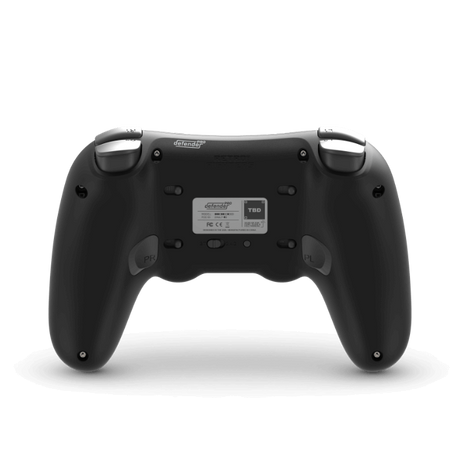


Defender Pro Series Wireless Controller for PS1, PS2, PS3, PC, Switch 1&2
+1Regular price $69.99Unit price -


-


 Sold out
Defender 2.4GHz Wireless Controller for PS1, PS2, PS3, Switch, PC
Sale priceFrom $44.99 Regular price $49.99Unit price -


Why Choose Bitjump Games for Retro Gem Installation
- Experienced Technicians: A Team passionate about retro gaming that have the expertise to handle any upgrade or installation task.
- High-Quality Parts: We use only the highest-quality parts and materials to ensure that your console continues to function flawlessly for years to come.
- Transparent Pricing – Get a clear quote before any work begins
- Fast Turnaround – Most local repairs are completed within 1–3 business days, most mail-ins are completed in 1-2 weeks.
- 1-Year Warranty – All upgrades and repairs are backed by our parts & labor guarantee
- Locally Owned – Trusted in the Provo, UT, and larger gaming community

Ship Your Console for Service
If you can’t make it to our Provo store, we make it easy to send your console in for repairs or upgrades. Here’s how the process works:
- Step 1 - Review Service Options: Review pricing and options for compatible consoles.
- Step 2 - Request Your Service: After reviewing options and pricing, Contact us with your console details and the specific upgrade you need. Payment is not required upfront; we will make sure there are no incompatibility issues with your request, and will send an invoice only after the work is completed and tested.
- Step 3 - Test & Pack: After we've approved your service request, Fully test your console before shipping. Pack it securely in a sturdy box with plenty of padding, excluding any unnecessary accessories or cables.
- Step 4 - Ship to Our Provo Store: Send your console to our headquarters in Provo, UT. We recommend using a carrier with tracking and insurance for your peace of mind.
- Step 5 - Professional Inspection: When your console arrives, our team performs a full diagnostic test before any work begins. If we find additional issues, we’ll contact you with options before moving forward.
- Step 6 - Upgrade & Return: Once the upgrade is finished and passes our rigorous quality check, we’ll send your invoice. After payment, we carefully repack and ship your upgraded console back to your door.

Walk In or Drop Off Your Device Today
No appointment? No problem. Come by 32 S Freedom Blvd, Provo, UT, and our team will help you out. We’re open Monday–Saturday.
Need a quote first? Give us a call at (801) 477-6431
Retro Gem & Installation Services FAQ
What consoles are compatible with the Retro GEM Universal Upscaler?
What consoles are compatible with the Retro GEM Universal Upscaler?
Right now the consoles compabitle with the Retro Gem are:
- Nintendo 64
- Nintendo GameCube
- Nintendo Wii
- PlayStation 1
- PlayStation 2
- SEGA Dreamcast
- Panasonic 3DO
Not every model of these consoles is compatible. For a full list of specific models and motherboards compatible with the Retro Gem, review this document from PixelFX.
Does the Retro Gem work on European (PAL), Japanese, or other consoles from other regions?
Does the Retro Gem work on European (PAL), Japanese, or other consoles from other regions?
Yes, the Retro GEM is region-agnostic and works on all NTSC and PAL systems.
Can I mail in my console or device?
Can I mail in my console or device?
Yes! To inquire about a mail-in repair, please give us a call at (801) 477-6431 or send an email to contact@bitjumpgames.com
Do I need to provide the Retro GEM kit?
Do I need to provide the Retro GEM kit?
You can purchase a Retro Gem kit from Bitjump Games or, if you already have a kit, you can include it with your console when you drop off or ship your console to us.
What is the difference between Retro Gem Basic and Shiny?
What is the difference between Retro Gem Basic and Shiny?
The hardware inside your console is exactly the same for both. The difference is the software features unlocked on the device:
- Basic Edition: Best for those using external scalers (like a Morph4K or RetroTink) or playing at 480p or 720p. It offers clean, lag-free digital output and standard scanlines at a more affordable price.
- Shiny Edition: Best for stand-alone use without a scaler and 4K TV owners. It unlocks 1440p resolution, advanced CRT filters, and Motion Adaptive Deinterlacing (which is great for gamest that output at 480i making PS2 and Dreamcast games look their best). It can still be used with an external scaler, but the Shiny has no additional benefits over Basic in that configuration.
If I buy the Basic version, can I upgrade to Shiny later?
If I buy the Basic version, can I upgrade to Shiny later?
Yes! This is the best part of the PixelFX ecosystem. Because the kits are physically identical, you can purchase a digital upgrade key directly from PixelFX at any time if you want to upgrade the Basic to Shiny.
Do I need to open my console or send my console back to Bitjump Games to upgrade to Shiny?
Do I need to open my console or send my console back to Bitjump Games to upgrade to Shiny?
No. You don't even have to open the console. Once you purchase the upgrade license from PixelFX, your Retro GEM will update itself over your home WiFi and unlock the Shiny features instantly.
How do I update the Retro GEM firmware?
How do I update the Retro GEM firmware?
One of the best features of the Retro GEM is its built-in WiFi. You never have to open your console or connect it to a computer to stay up to date. You connect your console to your home network using a simple to use web app. Once connected, you can update the firmware from the Retro Gem user interface on the console. You can also download new filters and visual presets to use with your games.
Shop All HDMI and RGB Upgraded Consoles
View all-


 Sold out
Nintendo NES Console with Tim Worthington NESRGB Kit Pre-Installed
Sale price $399.99 Regular price $449.99Unit price -


 Sold out
Nintendo NES "Top Loader" Console With Tim Worthington NESRGB Kit Pre-installed
Sale priceFrom $449.99 Regular price $549.99Unit price -


 Sold out
Nintendo AV Famicom with Tim Worthington NESRGB Kit Pre-installed
Sale price $399.99 Regular price $449.99Unit price -


 Sold out
Super Nintendo SNES Jr. Console with Voultar SNESRGB Kit Pre-Installed
Sale price $299.99 Regular price $349.99Unit price -


Nintendo 64 Console with Voultar N64RGB Kit Pre-installed
Sale priceFrom $199.99 Regular price $249.99Unit price -
Sold out
Nintendo 64 Console with Retro GEM HDMI Kit Pre-Installed
Sale priceFrom $299.99 Regular price $349.99Unit price -
Sold out
GameCube Console with Retro GEM HDMI Kit Pre-Installed
Sale price $299.99 Regular price $349.99Unit price -


 Sold out
Wii Console with ElectronAVE HDMI Kit Pre-Installed
Sale priceFrom $249.99 Regular price $299.99Unit price -
Sold out
Wii Console with Retro GEM HDMI Kit Pre-Installed
Sale price $299.99 Regular price $349.99Unit price -
Sold out
PlayStation Console with Retro GEM HDMI Kit Pre-Installed
Sale price $299.99 Regular price $349.99Unit price -
Sold out
PlayStation 2 Console with Retro GEM HDMI Kit Pre-Installed
Sale price $349.99 Regular price $399.99Unit price -
Sold out
PlayStation 2 Slim Console with Retro GEM HDMI Kit Pre-Installed
Sale price $349.99 Regular price $399.99Unit price -


 Sold out
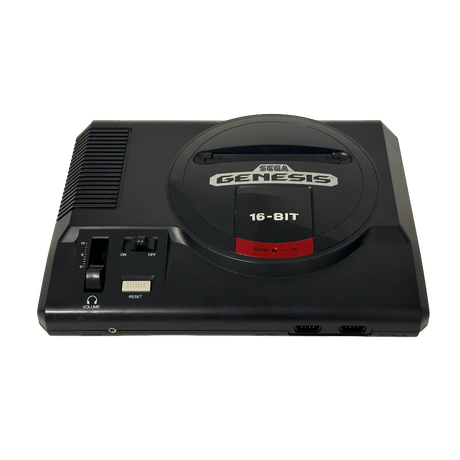
SEGA Genesis Model 1 Console with Zaxour Triple Bypass V2+ Kit Pre-installed
Regular price $299.99Unit price -


 Sold out
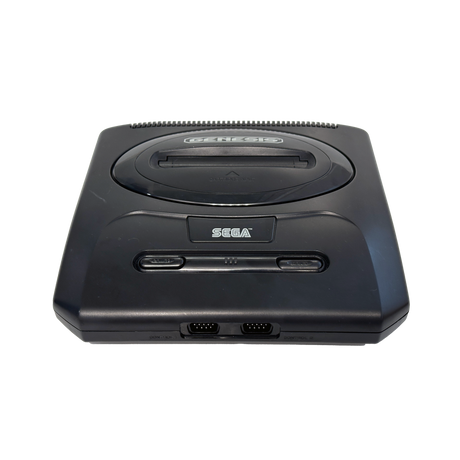
SEGA Genesis Model 2 Console with Zaxour Triple Bypass V2+ Kit Pre-installed
Sale price $249.99 Regular price $299.99Unit price -

 Sold out
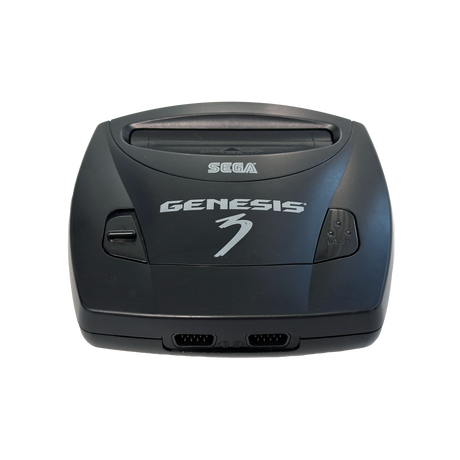
SEGA Genesis Model 3 Console with Zaxour Triple Bypass V2+ Kit Pre-installed
Regular price $249.99Unit price -
SEGA Dreamcast Console with Retro GEM HDMI Kit Pre-Installed
Sale priceFrom $349.99 Regular price $399.99Unit price -


 Sold out
Super Nintendo SNES 1CHIP Console with Voultar SNESRGB Kit Pre-Installed
Sale price $349.99 Regular price $399.99Unit price


